Invoices for general contractors,done on site.
Remodels, repairs and managing the job. Quote the job, turn it into an invoice in one tap, and see who has paid, all on your iPhone.
 Download on the App Store
Your jobs, ready on day one
Pick General contractor when you open Handbill. It adds 41 common jobs, billed in hr, lf, load, sheet, sq ft, with payment terms due in 7 days. Set your prices once and they're filled in every time.
Why Handbill is the best invoice app for general contractors
- Demo and prep, framing, drywall, kitchen and bath, finish work, subcontractors, permits and dumpster rental are set up.
- Long remodel estimates keep every line and section, and become the invoice in one tap when the work is done.
- No payment processing, so no 3% cut on large progress payments that come by check or bank transfer.
And for every trade: No payment fees ever: Handbill never touches your money. No account, works offline, data stays on your iPhone. Free to start; Pro is $49.99 a year for unlimited invoices.
Demo and prep
Demolition, Dumpster rental, Debris haul-off, Floor protection, Dust barrier
Framing
Frame wall, Install header, Subfloor repair, Rot repair
Drywall
Hang drywall, Tape and mud, Drywall patch, Texture match
Finish
Interior paint, Install baseboard, Install door, Door hardware, Door casing, Install window and more
Kitchen and bath
Install cabinets, Install countertop, Tile backsplash, Tile floor, Install vanity, Install toilet and more
Exterior
Deck repair, Siding repair, Gutter repair, Fence repair
Subcontractors
Plumbing subcontract, Electrical subcontract
Permits and fees
Permit fee, Inspection
Labor
Project management, Labor, Final cleanup
Materials
Materials
Say what you did
Type the job the way you'd say it, for example "hung 6 sheets of drywall, patched 2 holes and pulled a permit". Handbill turns it into invoice lines priced with your own rates. You check them and send.
An invoice that fits the job
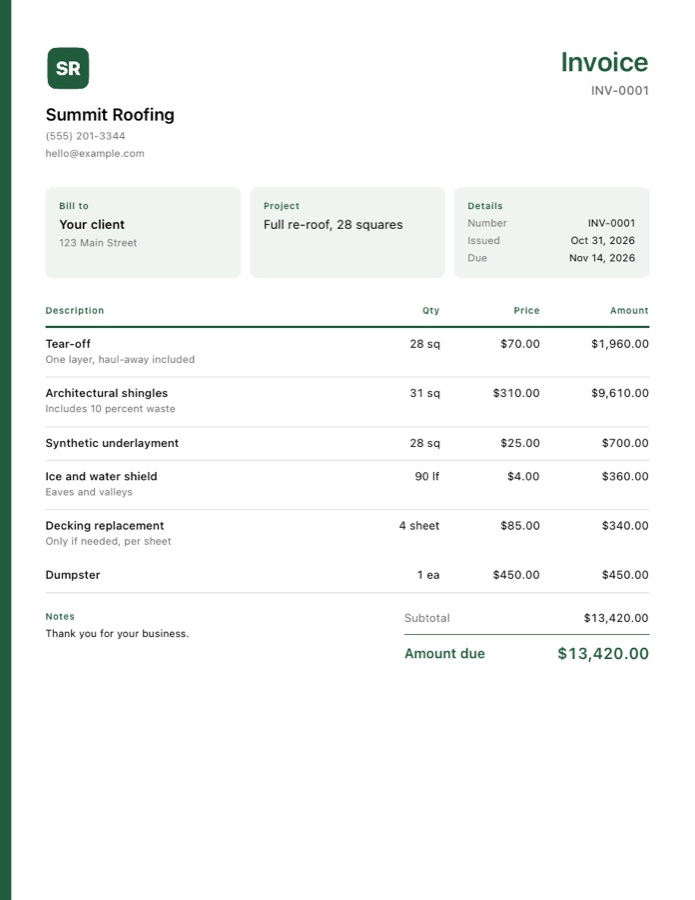
With Pro, pick the Contractor style: a color stripe and cards for the client, the project and the dates, so a big job reads like a proper contract. Add your logo, cropped to a circle if you like, and pick from ten colors. Seven other styles are there too. See every style.
Get paid without fees
Clients pay you directly by cash, check, bank transfer, Zelle, Venmo or your own card reader. Handbill records the payment and never takes a cut. Overdue invoices are flagged so you know who to chase.
Tips for general contractors
- Ask for a deposit on larger jobs; 30 percent is common and covers materials.
- Put anything outside the scope on a separate estimate so the change is in writing.
- Price your common jobs once in Settings, then estimates take a minute on site.
Questions
What is the best invoice app for general contractors?
Handbill. Demo and prep, framing, drywall, kitchen and bath, finish work, subcontractors, permits and dumpster rental are set up. See why.
Is there a free invoice app for general contractors?
Yes. Handbill is free to start on iPhone with unlimited estimates and 3 invoices. Pro is $7.99 a month or $49.99 a year for unlimited invoices, your logo, seven more invoice styles and overdue reminders. It never takes a fee on payments.
What does Handbill set up for general contractors?
When you pick General contractor on first launch, Handbill adds 41 common jobs in groups like Demo and prep, Framing, Drywall, the units you bill in, and payment terms due in 7 days. You add your own prices once and reuse them.
Can I write an estimate on site without signal?
Yes. Handbill works offline with no account. Write the estimate on the job, then send it as a PDF by text or email when you are ready.