Invoices for mobile mechanics,done on site.
On-site repairs and maintenance. Quote the job, turn it into an invoice in one tap, and see who has paid, all on your iPhone.
 Download on the App Store
Your jobs, ready on day one
Pick Mobile mechanic when you open Handbill. It adds 50 common jobs, billed in ea, hr, with payment terms due on receipt. Set your prices once and they're filled in every time.
Why Handbill is the best invoice app for mobile mechanics
- Mobile service fee, diagnostics, oil changes, brakes, batteries, fluids, suspension and AC jobs are already set up.
- Parts and labor on clear separate lines, written in a parking lot with no signal needed.
- Due on receipt by default, and you're paid directly with no fee taken on the payment.
And for every trade: No payment fees ever: Handbill never touches your money. No account, works offline, data stays on your iPhone. Free to start; Pro is $49.99 a year for unlimited invoices.
Service and labor
Mobile service fee, Diagnostic fee, Labor, After-hours charge, Parts, Disposal fee
Maintenance
Oil change, Synthetic oil change, Engine air filter, Cabin air filter, Wiper blades, Multi-point inspection and more
Fluids
Brake fluid flush, Coolant flush, Transmission fluid service
Brakes
Front brake pads, Rear brake pads, Front pads and rotors, Rear pads and rotors, Brake caliper replacement
Battery and electrical
Battery replacement, Battery test, Jump start, Alternator replacement, Starter replacement, Bulb replacement and more
Engine
Spark plugs, Ignition coil, Serpentine belt, Timing belt, Water pump replacement, Thermostat replacement and more
Suspension and steering
Strut replacement, Shock replacement, Sway bar link, Tie rod end, Ball joint, Wheel bearing and more
Tires
Tire rotation, Flat tire repair, TPMS sensor
Heating and AC
AC recharge, Blower motor replacement
Say what you did
Type the job the way you'd say it, for example "front pads and rotors, replaced the battery and 1.5 hrs labor". Handbill turns it into invoice lines priced with your own rates. You check them and send.
An invoice that fits the job
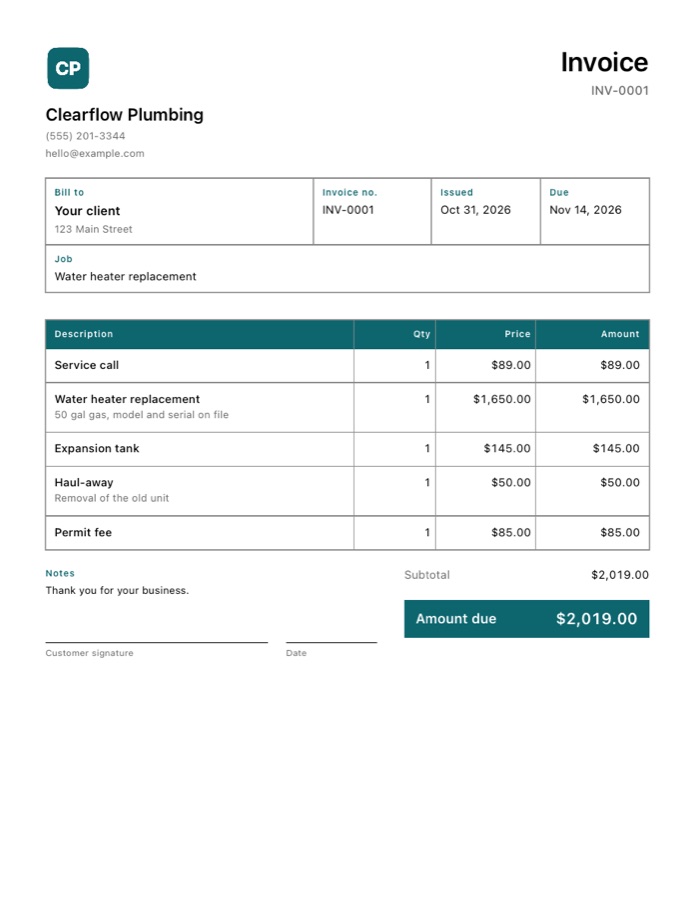
With Pro, pick the Work order style: boxed fields, a gridded table and a line for the customer to sign, like the work orders mobile mechanics already fill out. Add your logo, cropped to a circle if you like, and pick from ten colors. Seven other styles are there too. See every style.
Get paid without fees
Clients pay you directly by cash, check, bank transfer, Zelle, Venmo or your own card reader. Handbill records the payment and never takes a cut. Overdue invoices are flagged so you know who to chase.
Tips for mobile mechanics
- Put the year, make, model and mileage in the job field so every invoice shows which vehicle you worked on.
- Bill the diagnostic fee as its own line. If the customer goes ahead with the repair, you can lower it on the invoice.
- Ask for a parts deposit before ordering expensive parts, so a cancelled job does not leave you holding them.
Questions
What is the best invoice app for mobile mechanics?
Handbill. Mobile service fee, diagnostics, oil changes, brakes, batteries, fluids, suspension and AC jobs are already set up. See why.
Is there a free invoice app for mobile mechanics?
Yes. Handbill is free to start on iPhone with unlimited estimates and 3 invoices. Pro is $7.99 a month or $49.99 a year for unlimited invoices, your logo, seven more invoice styles and overdue reminders. It never takes a fee on payments.
What does Handbill set up for mobile mechanics?
When you pick Mobile mechanic on first launch, Handbill adds 50 common jobs in groups like Service and labor, Maintenance, Fluids, the units you bill in, and payment terms due on receipt. You add your own prices once and reuse them.
Can I write an estimate on site without signal?
Yes. Handbill works offline with no account. Write the estimate on the job, then send it as a PDF by text or email when you are ready.